DayZ Server Hosting
Badlands · Survival · Mods · Custom Maps
- Plans from 10 to 30 player slots, or build your own up to 100
- One-click Steam Workshop mods: Expansion, CF, Trader, BaseBuildingPlus
- Run Badlands' new Nasdara map, plus Sakhal, Livonia, Namalsk, Deer Isle and Esseker
- 9 GB RAM as standard, add more for heavily modded servers
- Your types.xml and loot edits are kept when DayZ updates
- Nightly offsite backups and DDoS mitigation included
DayZ Server Rental: Plans and Prices
Renting a DayZ server costs from $15.99 a month. We've hosted DayZ servers since DayZ dedicated servers were first available. All plans include DDoS mitigation, nightly backups, free web hosting, and 24/7 expert support. No hidden extras.
Ryzen & EPYC CPUs at 4.5 GHz. Right for most DayZ servers.
Our fastest CPUs, 5.0 GHz+. For big maps, busy servers and heavy mods.
- Normal hardware, 4.5 GHz
- 9 GB RAM
- ~100 GB NVMe SSD
- DDoS mitigation
- Nightly Backups
- Free Web Hosting
- Normal hardware, 4.5 GHz
- 9 GB RAM
- ~100 GB NVMe Pro SSD (5x faster)Our faster NVMe drives. The world loads quicker and saves are less likely to cause a stutter.
- DDoS mitigation
- Nightly Backups
- Free Web Hosting
- Normal hardware, 4.5 GHz
- 9 GB RAM
- ~100 GB NVMe Pro SSD (5x faster)Our faster NVMe drives. The world loads quicker and saves are less likely to cause a stutter.
- Above Normal CPU priorityYour game server is put ahead of routine background tasks, so the world responds faster and stays steadier during big builds and fights.
- DDoS mitigation
- Nightly Backups
- Free Web Hosting
- Extreme hardware, 5.0 GHz+Our fastest CPUs at 5.0 GHz+, for the most headroom with big builds and a full server.
- 9 GB RAM
- ~100 GB NVMe SSD
- DDoS mitigation
- Nightly Backups
- Free Web Hosting
- Extreme hardware, 5.0 GHz+Our fastest CPUs at 5.0 GHz+, for the most headroom with big builds and a full server.
- 9 GB RAM
- ~100 GB NVMe Pro SSD (5x faster)Our faster NVMe drives. The world loads quicker and saves are less likely to cause a stutter.
- DDoS mitigation
- Nightly Backups
- Free Web Hosting
- Extreme hardware, 5.0 GHz+Our fastest CPUs at 5.0 GHz+, for the most headroom with big builds and a full server.
- 9 GB RAM
- ~100 GB NVMe Pro SSD (5x faster)Our faster NVMe drives. The world loads quicker and saves are less likely to cause a stutter.
- Above Normal CPU priorityYour game server is put ahead of routine background tasks, so the world responds faster and stays steadier during big builds and fights.
- DDoS mitigation
- Nightly Backups
- Free Web Hosting
Dial in exactly what you need.
- Your choice of player slots
- Normal or Extreme hardware
- Your choice of RAM
- NVMe or NVMe Pro SSD
- CPU priority up to Realtime
- DDoS mitigation
- Nightly Backups
- Free Web Hosting
48-hour money-back guarantee on all plans.
48-Hour Free Trial
Full access. No restrictions. Try the complete service. If it isn't right for you, no charge and no questions asked.
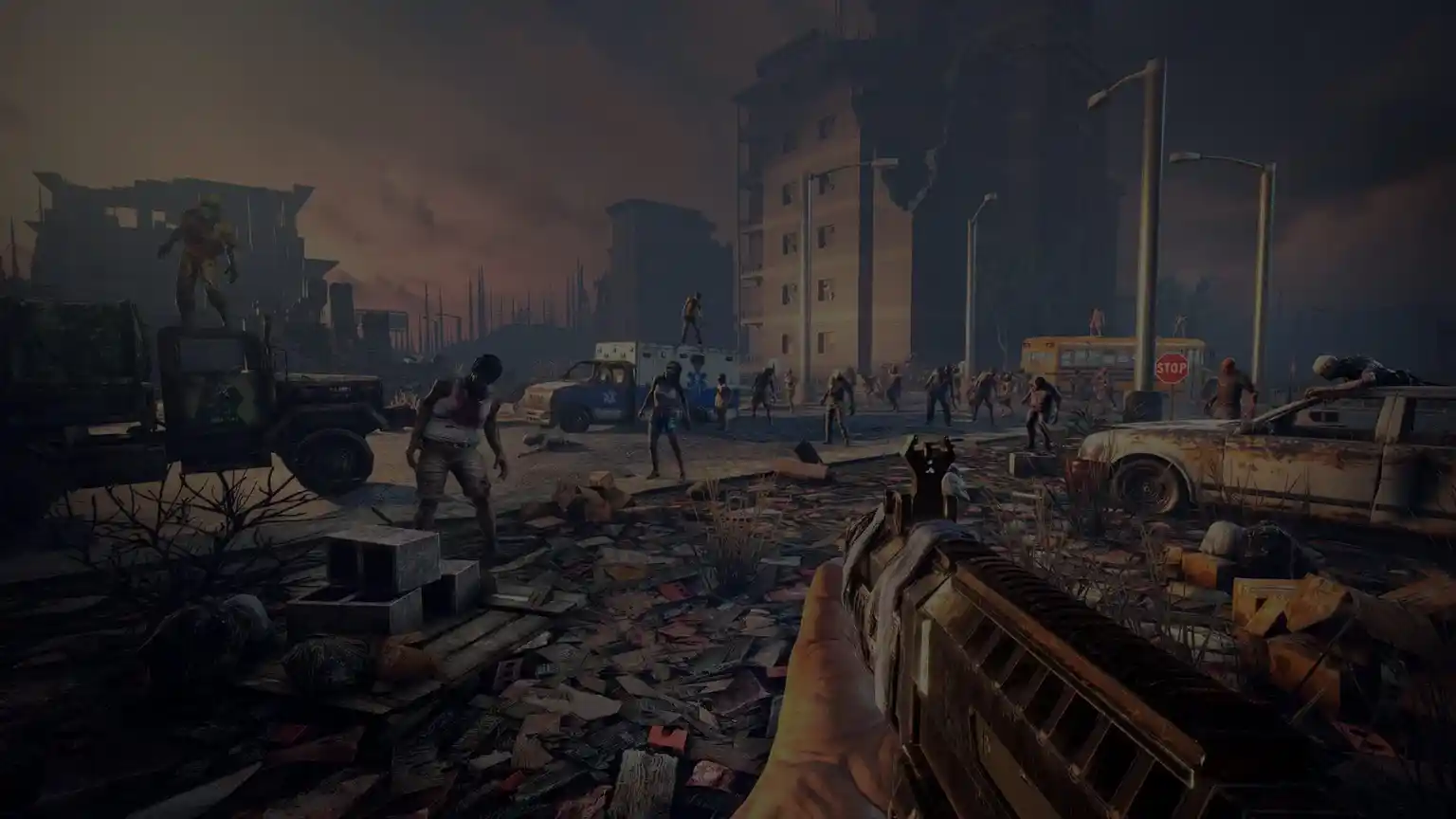
DayZ Screenshots
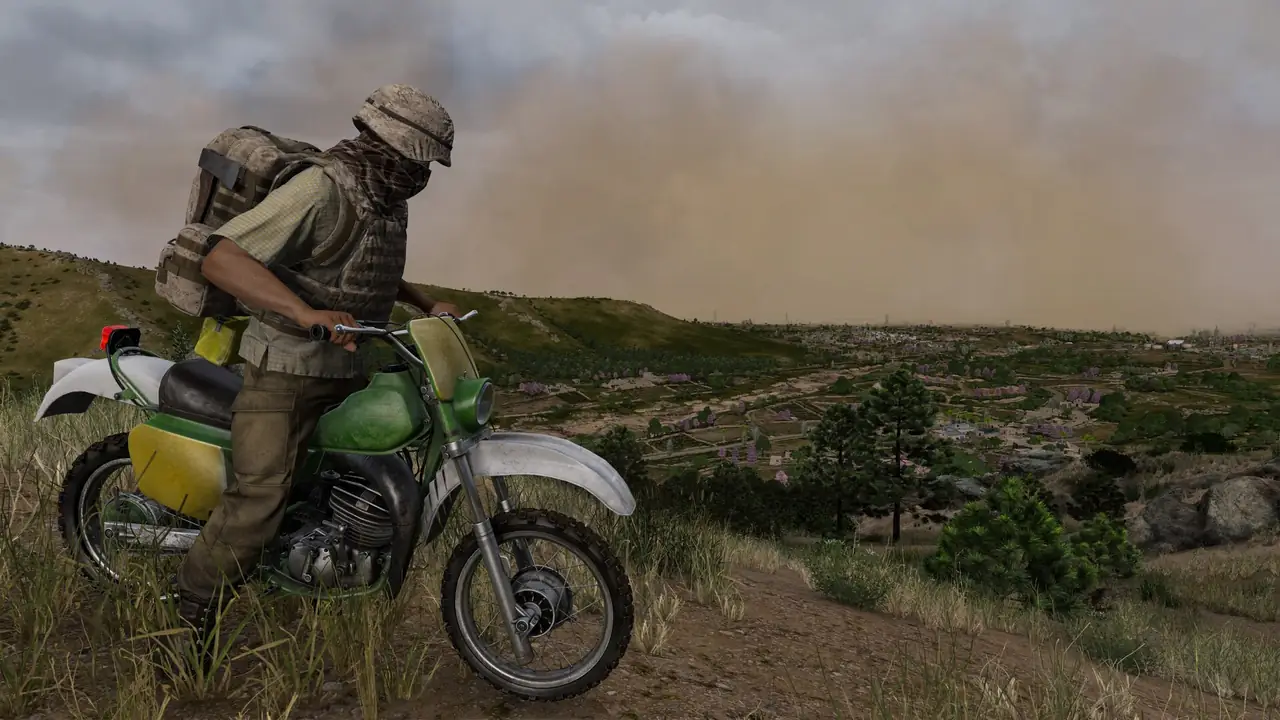


Everything You Need to Run Your DayZ Server
Steam Workshop Mods in One Click
Browse and install any DayZ mod or collection from the Steam Workshop straight from the Gamepanel. The panel handles keys and load order, and keeps mods updated.
- DayZ Expansion, CF, Trader, CodeLock, BaseBuildingPlus
- Admin tools: VPPAdminTools, Community Online Tools
- DZSALauncher and BattlEye Extended Controls
- See our mod installation guide
Nasdara, Sakhal, Livonia, Chernarus and Community Maps
Run the official maps or a community map. Switching is a config change, and our guides cover each one.
- Nasdara, the new Badlands map, see our Badlands guide
- Chernarus, plus Livonia and Sakhal (DLC), see our Sakhal guide
- Namalsk, see our Namalsk guide
- Deer Isle and Esseker, plus custom missions with Expansion
- Players need to own a DLC map to join it
Tune Loot, Zombies and Vehicles
Full access to the Central Economy files (types.xml, globals.xml, events.xml) through the file manager or FTP. Your edits are kept when the game updates.
- Loot amounts, lifetime and respawn times
- Zombie, animal and vehicle counts
- Login and logout timers, spawn points, weather
- Every setting explained in our types.xml guide
Full Control at Your Fingertips
Our custom-built Gamepanel puts every server function one click away. Start, stop, restart and monitor your server from any browser, with no SSH or technical knowledge required.
- Web-based live console and RCON, see our RCON guide
- Scheduled restarts with in-game warning messages
- Whitelist, ban and admin tools
- Admin logs, see our admin logs guide
Your Server, Always Protected
Our offsite disaster recovery system backs up every server nightly at 4AM server time. If a save corrupts or a mod update breaks something, we can restore your progress quickly.
- Nightly automated offsite backups
- Manual backup and restore anytime
- Character wipes and full wipes, see our full wipe guide

One Subscription, Any Game
Don't cancel, just switch. Move your server to any of 250+ supported games whenever you like. Your slots and billing cycle carry over.
- 250+ games in the catalogue
- All slots and settings transfer
- No cancellation or new order needed

Why Host Your DayZ Server With PingPerfect
Setup starts automatically as soon as your order is paid. Small games are ready in under a minute; big games with large downloads can take 10 minutes or more.
Ryzen & EPYC CPUs chosen for highest single-core speed. High-speed DDR5 RAM, picked for stability.
Real technicians, 24/7/365. Typical response under 10 minutes. Backed by 1,500+ knowledgebase articles.
Hand-picked gaming datacenters with low, stable ping, wherever your crew is based.
Every server comes with free web hosting. Build a community hub, forums, or announcements page.
Change the game your server runs at any time, no cancellation, no new order required
Nightly offsite backups at 4AM server time. Restore your progress if a save corrupts.
High-capacity, always-on DDoS mitigation, constantly updated to counter new attack vectors.
Backup, restore, wipe, automated updates, mod management, all in one fast, purpose-built panel.
Not happy within 48 hours? Full refund. No questions asked. Zero risk to try us.
Full file access via your preferred FTP client. Upload mods, configs, and plugins securely.
Datacenters chosen specifically for the lowest, most stable latency. Lag is our enemy too.
Rent a DayZ Server or Host It Yourself?
You can run DayZ yourself. Here's what that actually looks like next to a rented server.
About DayZ
DayZ is a multiplayer open-world survival game from Bohemia Interactive. A plague has turned most of the population into the infected, and players have to scavenge for food, water, weapons and medicine while deciding whether every other survivor they meet is a friend or a threat.
There are no missions and no safe respawns with your gear. Hunger, thirst, temperature, blood loss and disease all have to be managed, and everything you carry is lost when you die. That tension, and the stories it creates between players, is why DayZ has stayed one of the most played survival games on Steam.
DayZ began as a mod for Arma 2, entered Early Access as a standalone game in December 2013 and fully released on PC on 13 December 2018, followed by Xbox One and PlayStation 4 in 2019. The Livonia map came with the first DLC, and the Frostline expansion added the frozen Sakhal archipelago on 15 October 2024. Badlands followed on 15 October 2026 with Update 1.30, which came with a full wipe across all platforms.
Badlands adds Nasdara Province, a 267 km² map and the largest terrain Bohemia has made for DayZ. Its arid spring brings sandstorms, heatstroke and silicosis, and water is scarce. Nearly 5,000 rebuildable structures, including wells and irrigation tunnels, can be rebuilt from rubble. Update 1.30 also adds motorbikes with ragdoll crash physics, and Morse code radio messages that lead to underground bunkers.
Most DayZ players now play on community servers. The Steam Workshop has thousands of mods, from overhauls like DayZ Expansion to traders, base building and admin tools, plus community maps such as Namalsk, Deer Isle and Esseker. A dedicated server gives you full control over all of it, including the loot economy.
Useful DayZ Links
The official site, the store page and the places most DayZ admins go for mods and server settings.
How to Join Your DayZ Server
Your server's IP address and port are in the Gamepanel as soon as it's online.
Vanilla server
- Copy your server's IP address and port from the Gamepanel.
- Launch DayZ, open Community in the server browser and search for your server's name.
- Or use Direct Connect with the IP address and port.
- Enter the password if you've set one and join.
Server not in the list? See our server list guide.
Modded server
- Use the DayZ Launcher or DZSALauncher, which download the server's mods for you.
- Search for your server's name, check the mod list, and join.
If DZSALauncher can't see the server or won't sync mods, see our DZSALauncher guide.
Popular DayZ Guides
Step-by-step help from our knowledgebase for setting up and running your server.
Other Games You Might Like
Other survival and PvP games we host. Switch anytime by submitting a ticket. Or take the Survival Game Bundle and switch between them yourself from the Gamepanel, with your saves kept.



Trusted by Thousands of Gamers
5 stars well deserved, Pingperfects hosting has always been top notch and their customer support is crazy fast and efficient. If only all companies could follow their standard.
Was looking to install the SEserver Extender. Ping Perfect crew were on top of it within an hour of submiting my ticket. It was 00:15ish AM. I have never waited more than an hour for a response. Fastest responce was within 10 minutes. Didnt expect this great of service. Thanks for all you guys do!
I have had several game servers with PingPerfect continuously since 2014. The Staff has never failed to respond quickly, competently and professionally. 24/7 service is no empty boast, they mean what they say and back it up.
I have been contacting the customer service twice now and it always had been fixed very quickly by James R.. They do take care of their customers. Would definitely recommend to my friends.
Started a terraria server with Pingperfect, cheap, easy to use and when I was stuck, Excellent fast support. 5 stars!!!!
I'm pretty new to all this game server stuff - had a look around for solid company that could offer a complete package and looked at PingPerfect and found what I needed. Good range of games, great servers and also great service - Alex has been really helpful. Had a couple of self inflicted issues which he has helped to rectify very very quickly with a minimum of fuss. What for little I pay each month I am a very happy camper! Thanks.
20 locations, One Low Ping
Rent a DayZ server in any of them, including Sydney for Australian and New Zealand players. All locations include DDoS mitigation, nightly backups & 24/7 support.
Test Your Ping to Our Locations
Unsure which location is closest to you? Run a latency test to all of our server locations and see the results first-hand. Results are sorted from lowest to highest ping automatically.
DayZ Server Hosting FAQ
How do I join my DayZ server?▾
Search for your server's name under Community in the DayZ server browser, or use Direct Connect with the IP address and port from your Gamepanel. For a modded server, the DayZ Launcher or DZSALauncher downloads the mods for you. The full steps are in the how to join section above.
Can I run the Badlands Nasdara map on my server?▾
Yes. Badlands and Update 1.30 came out on 15 October 2026. Update your server from the Gamepanel, then switch to Nasdara, see our Badlands guide. Players need to own the Badlands DLC to join a Nasdara server.
Will my mods work on Update 1.30?▾
Most will, but some mods need an update from their authors after a major DayZ update. Bohemia's first patch after 1.30 focuses on issues affecting modders. Keep your Workshop mods updated from the Gamepanel, and if a mod update breaks something, our nightly backups let you roll back.
Can I run Sakhal or Livonia?▾
Yes. Both are official DLC maps, like Badlands' Nasdara, and switching is a config change, see our Sakhal guide and Livonia guide. Players need to own the DLC to join.
How do I install mods on my DayZ server?▾
Use the Steam Workshop installer in your Gamepanel: search for a mod or collection and install it, and the panel handles the server keys. See our mod installation guide.
Can I run DayZ Expansion, Namalsk or Deer Isle?▾
Yes. Install the mods from the Workshop installer, then set the matching mission. Our guides cover Expansion and custom maps, Namalsk, Deer Isle and Esseker.
Will updates overwrite my types.xml and loot changes?▾
No. Our updater keeps your customised files, including types.xml, when a DayZ update is applied.
How do I change loot, zombies or vehicles?▾
Edit the Central Economy files through the Gamepanel file manager or FTP. We have guides for loot amounts, loot respawn rate, zombies, animals and vehicles.
Can console players join my server?▾
No. DayZ doesn't have crossplay between PC and consoles, and our DayZ servers are for the PC (Steam) version.
How do I set up scheduled restarts with warnings?▾
Use the Gamepanel's scheduled tasks for simple restarts, or BattlEye Extended Controls for timed in-game warnings, see our server messages guide.
How do I ban players or add admins?▾
See our guides to banning players, whitelisting and admin tools like VPPAdminTools.
How do I choose a DayZ server host?▾
Check a few things: enough RAM for your mods, a location near your players, easy Steam Workshop mods, full access to files like types.xml, scheduled restarts and automatic backups. A free trial lets you test the connection before you pay. Our servers have all of these, with 20 locations and a 48-hour free trial.
How much does a DayZ server cost?▾
Plans start from $15.99/month for a 10-slot server. Every plan comes with 9 GB RAM, which is plenty for most DayZ servers; add more with a custom build if you're planning a very heavily modded server. The 30-slot plan is the one we recommend, the top plan adds higher CPU priority, and every plan is also available on Extreme hardware. Every plan comes with a 48-hour free trial.
How long has PingPerfect hosted DayZ servers?▾
Since DayZ dedicated servers were first available.
What payment methods are accepted?▾
- Credit and debit cards, Apple Pay and Google Pay, processed securely by Stripe
- PayPal
- Skrill, using your Skrill wallet or a bank transfer
Need another method? Contact us and we'll do our best.
What currencies does PingPerfect accept?▾
We natively support USD, GBP, and EUR. Other currencies work too — your bank may apply a small conversion fee.
What level of support is included?▾
All plans include 24/7/365 ticket support with a typical response under 10 minutes, plus 1,500+ knowledgebase articles. Platinum managed support is available as an optional upgrade. See our support levels page.
What hardware do you use?▾
Ryzen and EPYC CPUs for highest single-core performance, paired with DDR5 RAM chosen for stability. Full specs on our hardware page.
Can I migrate my existing server to PingPerfect?▾
Yes. Transfer via FTP/SFTP yourself, or open a support ticket and our team will walk you through it.
Start Your DayZ Server Today
Setup starts as soon as your order is paid, so you can play Badlands on your own terms. One-click Workshop mods, every official and community map, and your loot edits kept on update. 48-hour money-back guarantee.