Valheim Server Hosting
Deep North · Crossplay · Norse Mythology
- 1-10 players per server, crossplay across PC, Xbox, PS5 and Switch 2
- High performance AMD Ryzen & EPYC hardware
- 20 global locations, choose one close to your players
- Starts automatically once your order is paid
- DDoS mitigation & nightly backups included
- Switch to 250+ games anytime
Valheim Server Rental: Plans and Prices
Renting a Valheim server costs from $9.99 a month. We've hosted Valheim servers since 3 February 2021, the day after the game launched in Early Access. All plans include DDoS mitigation, nightly backups, free web hosting, and 24/7 expert support. No hidden extras.
Ryzen & EPYC CPUs at 4.5 GHz. Right for most Valheim servers.
Our fastest CPUs, 5.0 GHz+. For big maps, busy servers and heavy mods.
- 10 player slots
- Normal hardware, 4.5 GHz
- ~100 GB NVMe SSD
- DDoS mitigation
- Nightly Backups
- Free Web Hosting
- 10 player slots
- Normal hardware, 4.5 GHz
- ~100 GB NVMe Pro SSD (5x faster)Our faster NVMe drives. The world loads quicker and saves are less likely to cause a stutter.
- DDoS mitigation
- Nightly Backups
- Free Web Hosting
- 10 player slots
- Normal hardware, 4.5 GHz
- ~100 GB NVMe Pro SSD (5x faster)Our faster NVMe drives. The world loads quicker and saves are less likely to cause a stutter.
- DDoS mitigation
- Nightly Backups
- Free Web Hosting
- 10 player slots
- Extreme hardware, 5.0 GHz+Our fastest CPUs at 5.0 GHz+, for the most headroom with big builds and a full server.
- ~100 GB NVMe SSD
- DDoS mitigation
- Nightly Backups
- Free Web Hosting
- 10 player slots
- Extreme hardware, 5.0 GHz+Our fastest CPUs at 5.0 GHz+, for the most headroom with big builds and a full server.
- ~100 GB NVMe Pro SSD (5x faster)Our faster NVMe drives. The world loads quicker and saves are less likely to cause a stutter.
- DDoS mitigation
- Nightly Backups
- Free Web Hosting
- 10 player slots
- Extreme hardware, 5.0 GHz+Our fastest CPUs at 5.0 GHz+, for the most headroom with big builds and a full server.
- ~100 GB NVMe Pro SSD (5x faster)Our faster NVMe drives. The world loads quicker and saves are less likely to cause a stutter.
- DDoS mitigation
- Nightly Backups
- Free Web Hosting
Dial in exactly what you need.
- Your choice of player slots
- Normal or Extreme hardware
- Your choice of RAM
- NVMe or NVMe Pro SSD
- CPU priority up to Realtime
- DDoS mitigation
- Nightly Backups
- Free Web Hosting
48-hour money-back guarantee on all plans.
48-Hour Free Trial
Full access. No restrictions. Try the complete service. If it isn't right for you, no charge and no questions asked.
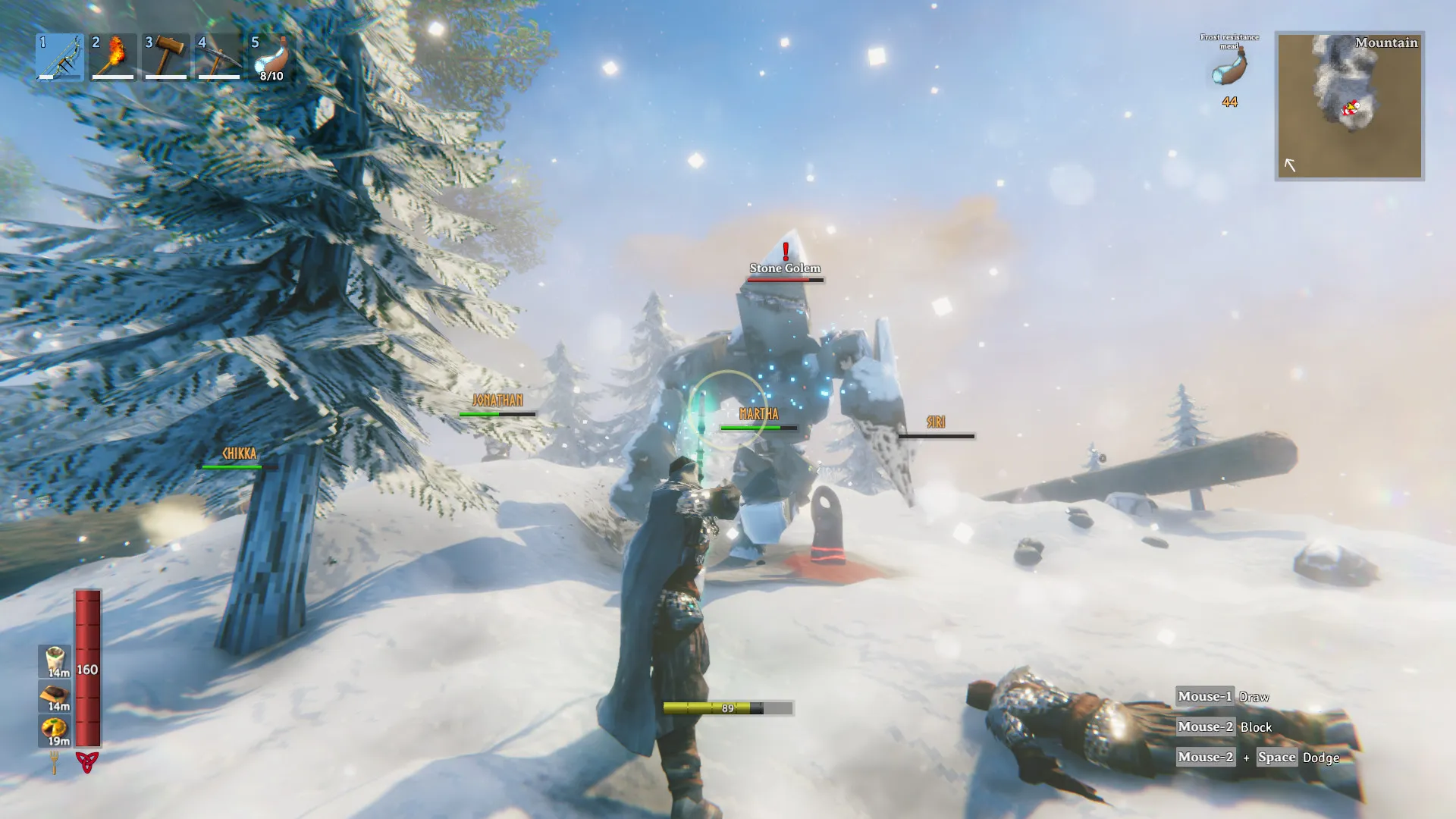
Valheim Screenshots


Everything You Need to Run Your Valheim Server
Full Control at Your Fingertips
Our custom-built Gamepanel puts every server function one click away. Start, stop, restart, and monitor your server from any browser. No SSH or technical knowledge required.
- One-click mod & plugin installer
- GUI & text config file editors
- Web-based live console
- Command-line manager
- Automated update & backup scheduler
Mod Support, Updated for 1.0
BepInEx, Valheim Plus, Jötunn, and HookGenPatcher are all installable in one click from the control panel and kept updated as authors patch their mods for 1.0 compatibility. Valheim has no official mod support from Iron Gate, so mod authors need time after every major release to catch up. We track compatibility status closely and update our installers as fixes land.
- One-click BepInEx Plugin Loader install & update
- One-click Valheim Plus install & update
- One-click Jötunn (Valheim Library) install & update
- Full FTP & SFTP access for custom plugins
- Drag-and-drop file manager
Your Progress, Always Protected
Our offsite disaster recovery system backs up every server nightly at 4AM server time. If a save corrupts or a mod breaks something, we can restore your world and character data quickly.
- Nightly automated offsite backups
- Manual backup & restore anytime
- One-click world wipe scripts
- Character save backup support
One Subscription, Any Game
Don't cancel, just switch. Move your server to any of 250+ supported games whenever you like.
- 250+ games in the catalogue
- All slots and settings transfer
- No cancellation or new order needed
Why Host Your Valheim Server With PingPerfect
Setup starts automatically as soon as your order is paid. Small games are ready in under a minute; big games with large downloads can take 10 minutes or more.
Ryzen & EPYC CPUs chosen for highest single-core speed. High-speed DDR5 RAM, picked for stability.
Real technicians, 24/7/365. Typical response under 10 minutes. Backed by 1,500+ knowledgebase articles.
Hand-picked gaming datacenters with low, stable ping, wherever your crew is based.
Every server comes with free web hosting. Build a community hub, forums, or announcements page.
Change the game your server runs at any time, no cancellation, no new order required
Nightly offsite backups at 4AM server time. Restore your progress if a save corrupts.
High-capacity, always-on DDoS mitigation, constantly updated to counter new attack vectors.
Backup, restore, wipe, automated updates, mod management, all in one fast, purpose-built panel.
Not happy within 48 hours? Full refund. No questions asked. Zero risk to try us.
Full file access via your preferred FTP client. Upload mods, configs, and plugins securely.
Datacenters chosen specifically for the lowest, most stable latency. Lag is our enemy too.
Rent a Valheim Server or Host It Yourself?
You can run Valheim yourself. Here's what that actually looks like next to a rented server.
About Valheim
Valheim is a brutal exploration and survival game developed by Iron Gate Studio and published by Coffee Stain Publishing, set in a vast procedurally-generated world inspired by Norse mythology. Players take on the role of a fallen Viking warrior tasked by Odin with proving their worth in the tenth world, battling mythical creatures, building mighty longhouses, and conquering increasingly dangerous biomes.
Valheim launched into Steam Early Access on 2 February 2021 and sold over five million copies in its first month, reaching 10 million by April 2022 and more than 17 million by its 1.0 release. It blends survival, crafting and flexible building with a demanding stamina-based combat system, and it's built for co-op: servers support up to 10 players, which is why most groups keep their shared world on a dedicated server that stays online around the clock.
Valheim 1.0 released on 9 September 2026, ending five and a half years of Early Access. Its centrepiece is the Deep North, the eighth and final biome: a frozen region where ice is slippery underfoot and deep snow has to be cleared with a shovel before you can build. Progression runs through Bloodgold, smelted from the Petrified Tissue you blast out of petrified Gammeltrolls with Ember Charges. Bloodgold feeds the Nord weapons cast at the Frost Foundry from moulds found in the Winding Tunnels, and the Intricate Key opens the Gates of Mörkhalla, the path to the final boss, Kall Fimbulbringer. The update also adds 40+ weapons, four armour sets, 10+ new creatures including a rideable moose, 80+ build pieces, a grappling hook and 53 achievements.
1.0 also brought Valheim to PlayStation 5 and Nintendo Switch 2, with crossplay across PC, Mac, Linux, Xbox, PS5 and Switch 2. Existing worlds and characters carry over, but the Deep North only generates in areas of the map you haven't explored yet, so Iron Gate recommends starting a fresh world. The game's price rose from $19.99 to $29.99 at launch; existing owners received the update free.
How Much RAM Does a Valheim Server Need?
A rough guide based on world size, player count, and mods.
Where the Major Mods Stand on 1.0
Checked by our team as mod authors update for the 1.0 release.
After a major Valheim update, mods can stop working until their authors release fixes. We update our one-click installers as fixes become available. Before updating a modded server, check each mod's page (for Valheim, usually Thunderstore) for compatibility, or ask our support team.
Useful Valheim Links
The official site, wiki, community, and mod repository, all in one place.
How to Join Your Valheim Server
Your server's connection details are in the Gamepanel as soon as it's online.
On PC (Steam)
- Copy your server's IP address and port from the Gamepanel.
- Launch Valheim, choose Start Game and pick your character.
- Open the Join Game tab and click Add server.
- Paste the address, click Add server, then Connect.
- Enter your server password when asked.
You can also add the address to your favourites in Steam's server browser and connect from there. The in-game Community list works too, but it's less reliable than joining directly.
On Xbox, PS5 and Switch 2 (crossplay)
- Enable crossplay on your server, our crossplay setup guide shows how.
- Find the server's join code, shown in the server console when it starts.
- In Valheim, choose Start Game, pick your character and open Join Game.
- Select Add server and enter the join code instead of an IP address.
- Enter your server password when asked.
Crossplay servers can't run mods, because console players can't install them. Keep modded servers PC-only.
Popular Valheim Guides
Step-by-step help from our knowledgebase for setting up and running your server.
Other Games You Might Like
Similar survival and base-building servers we also host, switch anytime by just submitting a ticket. Or take the Survival Game Bundle and switch between them yourself from the Gamepanel, with your saves kept.

Trusted by Thousands of Gamers
They always go out of there way to help out. I had an issue that took hours to fix and they were with me every step of the way!
Was looking to install the SEserver Extender. Ping Perfect crew were on top of it within an hour of submiting my ticket. It was 00:15ish AM. I have never waited more than an hour for a response. Fastest responce was within 10 minutes. Didnt expect this great of service. Thanks for all you guys do!
Best service I have ever experienced myself, extremely fast replies and very easy understanding, ongoing replies. Thank you for your service!
Great experience every time I have spoken to Pingperfect, Out of 7 server providers they have the best, fastest and most polite Support team. Their Console is easy to use and intuitive & makes customization a breeze. 5/5 Stars
There is by far the best service I have ever received. After a week of messing around with another provider, I looked for an alternative and definitely found the better solution here. Fast, very friendly and competent support. a bit expensive maybe but definitely worth the money. As soon as there is support in German it is as far as I can judge it just a perfect service.
The prices are very fair and with the web-interface easy to maintain yourself. Although we had some trouble with getting our server visible in game, the support team was very helpful. They were fast in responses and thinking with you in solutions. Great service!
20 locations, One Low Ping
Rent a Valheim server in any of them, including Sydney for Australian and New Zealand players. All locations include DDoS mitigation, nightly backups & 24/7 support.
Test Your Ping to Our Locations
Unsure which location is closest to you? Run a latency test to all of our server locations and see the results first-hand. Results are sorted from lowest to highest ping automatically.
Valheim Server Hosting FAQ
How many players can join a Valheim server?▾
Just like before 1.0, the official Valheim server cap is 1-10 players simultaneously. Valheim Plus has historically been used to raise this limit further, though mod compatibility with 1.0 depends on the mod author releasing an update, see our note on mods below.
Do I need to start a new world for Valheim 1.0?▾
No. Existing world saves and characters carry over automatically. However, the Deep North biome will only generate properly in areas of the map you haven't already explored, so Iron Gate recommends starting a fresh world if you want the complete progression experience.
Are mods compatible with Valheim 1.0?▾
Iron Gate has never offered official mod support, so compatibility depends entirely on each mod author updating for 1.0. This can take some time after a major release like this one. We're tracking BepInEx, Valheim Plus, and Jötunn compatibility closely and will update our one-click installers as soon as working versions are available. Note that Steam Workshop is not featured at the 1.0 launch, on PC or console.
Can I change world modifiers and difficulty settings?▾
Yes. Through the Commandline Manager in our control panel you can set world modifiers including combat difficulty, death penalty, resource rates, raid frequency, and portal behaviour. Our world modifiers guide walks you through the steps.
Can I upload my existing Valheim world save?▾
Yes. Upload your save files directly via FTP or the file manager, browse to the saves folder, and drop them in. Our upload guide covers the exact steps.
How do I set a server password or whitelist players?▾
Server passwords can be added in just a few steps via the configuration panel, see our password guide. Whitelisting is also supported; our whitelist guide explains how.
Does crossplay work on a dedicated Valheim server?▾
Yes. Valheim 1.0 supports crossplay between PC, Xbox, PlayStation 5, and Nintendo Switch 2 on dedicated servers. You can enable it via the Commandline Manager, our crossplay setup guide explains the configuration. Console players join using the server's join code rather than an IP address, see how to join your server.
Can I use mods on a crossplay server?▾
Not if console players are joining. Console versions of Valheim can't install BepInEx mods, so crossplay and mods can't run on the same server. If your group includes Xbox, PS5 or Switch 2 players, run the server vanilla. If you want a heavily modded world, keep the server PC-only.
How do I join my Valheim server?▾
On PC, copy your server's IP address and port from the Gamepanel, then in Valheim go to Join Game, click Add server, paste the address and connect. On console with crossplay enabled, use the server's join code instead of the IP address. The full steps are in the how to join section above.
Does my Valheim server update automatically?▾
Yes. Our task scheduler can check for and apply game updates automatically, so your server stays on the latest version without manual work. You can also trigger an update manually at any time from the control panel. After a major game update, check the mod compatibility table before updating a modded server, since mods can break until their authors release fixes.
How do I choose a Valheim server host?▾
Check a few things: enough RAM for your world size and mods, a location near your players, crossplay support if friends play on Xbox, PS5 or Switch 2, easy mod installs, and automatic backups of your world. A free trial lets you test the connection before you pay. Our servers have all of these, with 20 locations and a 48-hour free trial.
How much does a Valheim server cost?▾
Plans start from $9.99/month for a 10-slot server on Normal hardware. Most groups do well on the 9 GB plan; larger or modded worlds may want the 12 GB (recommended) or 15 GB plan, and every plan is also available on Extreme hardware. Full pricing is above, and every plan comes with a 48-hour free trial so you can check performance before committing.
Can I just run a Valheim server myself instead of renting one?▾
Yes, Valheim supports self-hosting through its dedicated server tools. The trade-off is that your server only stays online while your PC is on and connected, you're responsible for port forwarding and DDoS exposure, and backups are down to you. A rented server runs 24/7 on dedicated hardware with backups and support included, which is why most groups running a persistent world with friends rent rather than self-host.
What happens to my server if I cancel?▾
Your server and world save stay active until the end of your current billing period. If you want to keep a copy of your world before cancelling, download it via FTP or the file manager beforehand. We don't retain data after a server is cancelled and removed.
How do I add admins or ban players?▾
Admins are added by editing the server's adminlist.txt file, our admin guide covers the process. Banning and kicking players is handled via in-game console commands once you are an admin.
How long has PingPerfect hosted Valheim servers?▾
Since 3 February 2021, the day after the game launched in Early Access.
What payment methods are accepted?▾
- Credit and debit cards, Apple Pay and Google Pay, processed securely by Stripe
- PayPal
- Skrill, using your Skrill wallet or a bank transfer
Need another method? Contact us and we'll do our best.
What currencies does PingPerfect accept?▾
We natively support USD, GBP, and EUR. Other currencies work too — your bank may apply a small conversion fee.
What level of support is included?▾
All plans include 24/7/365 ticket support with a typical response under 10 minutes, plus 1,500+ knowledgebase articles. Platinum managed support is available as an optional upgrade. See our support levels page.
What hardware do you use?▾
Ryzen and EPYC CPUs for highest single-core performance, paired with DDR5 RAM chosen for stability. Full specs on our hardware page.
Can I migrate my existing server to PingPerfect?▾
Yes. Transfer via FTP/SFTP yourself, or open a support ticket and our team will walk you through it.
Start Your Valheim Server Today
Setup starts as soon as your order is paid. Full support for the Valheim 1.0 release and the Deep North biome. 48-hour money-back guarantee.