Minecraft Server Hosting
Java Edition · Modpacks · Plugins · Every Version
- Unlimited player slots on every plan, with 6 GB to 32 GB RAM
- One-click CurseForge and FTB modpacks: RLCraft, All The Mods, Pixelmon and more
- Paper, Purpur, Spigot, Forge, NeoForge, Fabric and Vanilla
- 100+ Minecraft versions, from the latest release back to classic builds
- High-clock AMD Ryzen & EPYC hardware
- Nightly offsite backups and DDoS mitigation included
Minecraft Server Rental: Plans and Prices
Renting a Minecraft server costs from $17.62 a month. All plans include DDoS mitigation, nightly backups, free web hosting, and 24/7 expert support. No hidden extras.
Ryzen & EPYC CPUs at 4.5 GHz. Right for most Minecraft servers.
Our fastest CPUs, 5.0 GHz+. For big maps, busy servers and heavy mods.
- Unlimited players
- Normal hardware, 4.5 GHz
- ~100 GB NVMe SSD
- DDoS mitigation
- Nightly Backups
- Free Web Hosting
- Unlimited players
- Normal hardware, 4.5 GHz
- ~100 GB NVMe Pro SSD (5x faster)Our faster NVMe drives. The world loads quicker and saves are less likely to cause a stutter.
- DDoS mitigation
- Nightly Backups
- Free Web Hosting
- Unlimited players
- Normal hardware, 4.5 GHz
- ~100 GB NVMe Pro SSD (5x faster)Our faster NVMe drives. The world loads quicker and saves are less likely to cause a stutter.
- Above Normal CPU priorityYour game server is put ahead of routine background tasks, so the world responds faster and stays steadier during big builds and fights.
- DDoS mitigation
- Nightly Backups
- Free Web Hosting
- Unlimited players
- Extreme hardware, 5.0 GHz+Our fastest CPUs at 5.0 GHz+, for the most headroom with big builds and a full server.
- ~100 GB NVMe SSD
- DDoS mitigation
- Nightly Backups
- Free Web Hosting
- Unlimited players
- Extreme hardware, 5.0 GHz+Our fastest CPUs at 5.0 GHz+, for the most headroom with big builds and a full server.
- ~100 GB NVMe Pro SSD (5x faster)Our faster NVMe drives. The world loads quicker and saves are less likely to cause a stutter.
- DDoS mitigation
- Nightly Backups
- Free Web Hosting
- Unlimited players
- Extreme hardware, 5.0 GHz+Our fastest CPUs at 5.0 GHz+, for the most headroom with big builds and a full server.
- ~100 GB NVMe Pro SSD (5x faster)Our faster NVMe drives. The world loads quicker and saves are less likely to cause a stutter.
- Above Normal CPU priorityYour game server is put ahead of routine background tasks, so the world responds faster and stays steadier during big builds and fights.
- DDoS mitigation
- Nightly Backups
- Free Web Hosting
Dial in exactly what you need.
- Unlimited players
- Normal or Extreme hardware
- Your choice of RAM
- NVMe or NVMe Pro SSD
- CPU priority up to Realtime
- DDoS mitigation
- Nightly Backups
- Free Web Hosting
48-hour money-back guarantee on all plans.
48-Hour Free Trial
Full access. No restrictions. Try the complete service. If it isn't right for you, no charge and no questions asked.
Minecraft Screenshots
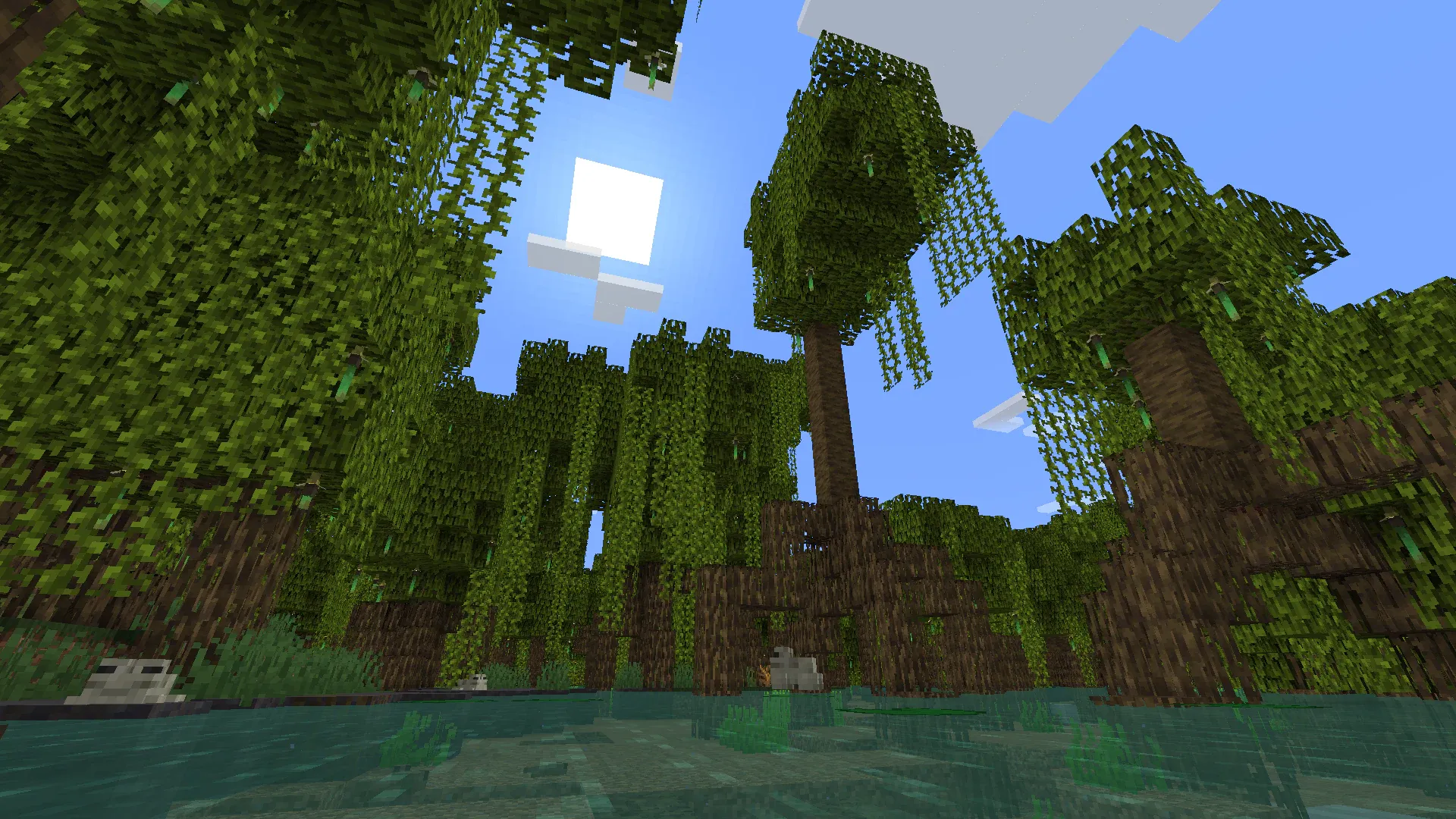


Everything You Need to Run Your Minecraft Server
One-Click Modpack Installer
The Gamepanel Mod Manager has a large selection of popular CurseForge and Feed the Beast (FTB) modpacks ready to install in one click, with no manual file transfers. If the pack you want isn't listed, open a ticket and we'll add it.
- CurseForge and FTB modpacks
- RLCraft, All The Mods, Pixelmon and many more
- New packs added on request
- Or add your own mods, see our Forge mods guide
Every Version and Server Type
Choose from over 100 Minecraft versions, from the latest release back to classic Alpha builds, and switch server software in one click. Not sure which to pick? See our server type guide.
- 100+ Minecraft versions
- Vanilla, Forge, NeoForge and Fabric
- Paper, Purpur, Spigot and CraftBukkit for plugins
- GeyserMC so Bedrock players can join, Arclight and more
Full Control at Your Fingertips
Our custom-built Gamepanel puts every server function one click away. Start, stop, restart and monitor your server from any browser, with no SSH or technical knowledge required.
- GUI and text editors for server.properties and plugin configs
- Web-based live console
- RCON for remote commands, see our RCON guide
- Scheduled restarts and backups
- Dedicated IP or domain name available, see our dedicated IP guide
Your Builds, Always Protected
Our offsite disaster recovery system backs up every server nightly at 4AM server time. If a mod update corrupts a world or a griefer gets in, we can restore your progress quickly.
- Nightly automated offsite backups
- Manual backup and restore anytime
- One-click world wipe for a fresh start
- Bring your own world, see our world upload guide
One Subscription, Any Game
Don't cancel, just switch. Move your server to any of 250+ supported games whenever you like. Your slots and billing cycle carry over.
- 250+ games in the catalogue
- All slots and settings transfer
- No cancellation or new order needed
Why Host Your Minecraft Server With PingPerfect
Setup starts automatically as soon as your order is paid. Small games are ready in under a minute; big games with large downloads can take 10 minutes or more.
Ryzen & EPYC CPUs chosen for highest single-core speed. High-speed DDR5 RAM, picked for stability.
Real technicians, 24/7/365. Typical response under 10 minutes. Backed by 1,500+ knowledgebase articles.
Hand-picked gaming datacenters with low, stable ping, wherever your crew is based.
Every server comes with free web hosting. Build a community hub, forums, or announcements page.
Change the game your server runs at any time, no cancellation, no new order required
Nightly offsite backups at 4AM server time. Restore your progress if a save corrupts.
High-capacity, always-on DDoS mitigation, constantly updated to counter new attack vectors.
Backup, restore, wipe, automated updates, mod management, all in one fast, purpose-built panel.
Not happy within 48 hours? Full refund. No questions asked. Zero risk to try us.
Full file access via your preferred FTP client. Upload mods, configs, and plugins securely.
Datacenters chosen specifically for the lowest, most stable latency. Lag is our enemy too.
Rent a Minecraft Server or Host It Yourself?
You can run Minecraft yourself. Here's what that actually looks like next to a rented server.
About Minecraft
Minecraft is the sandbox game from Mojang Studios in which players explore, mine, craft and build in a procedurally generated world made of blocks. With no fixed goal and an almost endless world, it can be a survival game, a creative building tool or a platform for custom game modes, depending on how a server is set up.
Minecraft's full release came on 18 November 2011, and it has since become the best-selling video game of all time. This page is for Minecraft: Java Edition, the version for Windows, Mac and Linux that supports mods, plugins and custom server software. Bedrock Edition, for consoles, mobile and Windows, has its own servers.
Java Edition's modding scene is one of the largest in gaming. Mod loaders like Forge, NeoForge and Fabric run anything from small quality-of-life tweaks to huge modpacks like All The Mods and RLCraft, while server software like Paper and Purpur runs plugins for economies, minigames and protection without players installing anything.
Since 2026 Java Edition versions are numbered by year, so the first update of 2026 was 26.1 rather than 1.22. Version 26.1 also became the first to need Java 25. Mods and plugins are tied to specific versions, which is why we let you run any version, not just the latest.
Useful Minecraft Links
The official site and the places most Minecraft server admins go for modpacks and plugins.
How to Join Your Minecraft Server
Your server's IP address and port are in the Gamepanel under Connection Info as soon as it's online.
On Java Edition
- Copy your server's IP address and port from the Gamepanel.
- Launch Minecraft on the same version as your server and choose Multiplayer.
- Click Add Server, paste in the IP address and port (for example 1.2.3.4:25565) and click Done.
- Select your server from the list and click Join Server.
On a modpack server, every player needs the same modpack version installed. Playing on different game versions? See our multi-version guide.
Bedrock players (with GeyserMC)
- Install GeyserMC on your server from the Mod Manager.
- In Bedrock Edition, open Play, then Servers, and choose Add Server.
- Enter your server's IP address and the Geyser port, then save and join.
Geyser works with plugin server types like Paper. Want a pure Bedrock server instead? See our Bedrock server hosting.
Popular Minecraft Guides
Step-by-step help from our knowledgebase for setting up and running your server.
Other Games You Might Like
Other sandbox and building games we host. Switch anytime by submitting a ticket.

Trusted by Thousands of Gamers
In my vast experience with server hosts, operating servers for everything from Minecraft, to Space Engineers, to Starbound, and even Ark, I've found a few truths. PingPerfect may not have the best price or largest package, those things really don't matter in the long run. What they do have is excellent server locations, superior up-time, and support that treats you like a human with unscripted responses and very fast replies. I'm an extremely satisfied customer.
5 stars well deserved, Pingperfects hosting has always been top notch and their customer support is crazy fast and efficient. If only all companies could follow their standard.
When I needed help with my server they replied and helped within the hour, unlike some competitors which sometimes take days. Their communication is superb, really impressed with PingPerfect.
After opening a ticket, support generally takes like 4 minutes to get back to you, then they respond in real time and keep you updated on what they're doing.
20 locations, One Low Ping
Rent a Minecraft server in any of them, including Sydney for Australian and New Zealand players. All locations include DDoS mitigation, nightly backups & 24/7 support.
Test Your Ping to Our Locations
Unsure which location is closest to you? Run a latency test to all of our server locations and see the results first-hand. Results are sorted from lowest to highest ping automatically.
Minecraft Server Hosting FAQ
How do I join my Minecraft server?▾
In Java Edition, choose Multiplayer, click Add Server and enter the IP address and port from your Gamepanel. Bedrock players can join too if you install GeyserMC. The full steps are in the how to join section above.
Which modpacks can I install?▾
The Mod Manager includes a large selection of popular CurseForge and FTB modpacks, including RLCraft, the All The Mods series and Pixelmon. If the pack you want isn't listed, open a support ticket and we'll add it. You can also upload your own mods, see our Forge mods guide.
Which server type should I use: Paper, Spigot, Forge or Fabric?▾
Paper and Purpur are best for plugin servers and vanilla-style play. Forge and NeoForge run most CurseForge modpacks. Fabric is lighter and popular for performance mods and smaller mod lists. See our server type guide for a full breakdown.
Which Java version does my server need?▾
It depends on the Minecraft version. Version 26.1 and later need Java 25, while older versions need older Java releases. The Gamepanel handles this for most setups, and our Java version guide covers the rest.
Why are Minecraft versions now numbered 26.x?▾
Since 2026 Mojang numbers Java Edition releases by year and drop, so 26.1 is the first game drop of 2026, and 26.1.1 would be its first hotfix. It's the version after 1.21.x. Mods and plugins still need to match the exact version, so check them before you update.
Can Bedrock players join my Java server?▾
Yes, with GeyserMC, which is a one-click install from the Mod Manager on plugin server types like Paper. If your group is all on Bedrock, our Bedrock server hosting may suit you better.
Can I install plugins?▾
Yes. On Paper, Purpur, Spigot or CraftBukkit, upload plugins via FTP or the Gamepanel file manager and restart. Popular choices include EssentialsX, LuckPerms, WorldEdit and Dynmap, see our Dynmap guide.
Can I upload my existing world?▾
Yes. Upload your world folder via FTP or the file manager. Our world upload guide covers the steps. Use the same or a newer game version than the world was saved on.
Will my server update automatically?▾
No, and that's deliberate. Mods and plugins often take time to support a new version, so you choose when to update, in one click from the Gamepanel.
How much RAM does my Minecraft server need?▾
A vanilla or plugin server for a small group runs well on 6 GB. Modpacks need more: large packs like All The Mods usually want 8 to 12 GB or more. Start on the 8 GB plan for a modded server and upgrade if you need to.
How do I choose a Minecraft server host?▾
Check a few things: enough RAM for your modpack or plugins, a location near your players, a choice of server types (Paper, Forge, Fabric and more), one-click modpack installs and automatic backups of your world. A free trial lets you test the connection before you pay. Our servers have all of these, with 20 locations and a 48-hour free trial.
How much does a Minecraft server cost?▾
Every plan has unlimited player slots, so you choose by RAM. Plans start from $17.62/month with 6 GB RAM. The 8 GB plan is the one we recommend, the top plan adds higher CPU priority for busy servers, and every plan is also available on Extreme hardware. Big modpacks can have up to 32 GB with a custom build. Every plan comes with a 48-hour free trial.
What payment methods are accepted?▾
- Credit and debit cards, Apple Pay and Google Pay, processed securely by Stripe
- PayPal
- Skrill, using your Skrill wallet or a bank transfer
Need another method? Contact us and we'll do our best.
What currencies does PingPerfect accept?▾
We natively support USD, GBP, and EUR. Other currencies work too — your bank may apply a small conversion fee.
What level of support is included?▾
All plans include 24/7/365 ticket support with a typical response under 10 minutes, plus 1,500+ knowledgebase articles. Platinum managed support is available as an optional upgrade. See our support levels page.
What hardware do you use?▾
Ryzen and EPYC CPUs for highest single-core performance, paired with DDR5 RAM chosen for stability. Full specs on our hardware page.
Can I migrate my existing server to PingPerfect?▾
Yes. Transfer via FTP/SFTP yourself, or open a support ticket and our team will walk you through it.
Start Your Minecraft Server Today
Setup starts as soon as your order is paid. One-click modpacks, every server type and 100+ versions. 48-hour money-back guarantee.