
Windrose does not use a traditional server browser or IP direct connection feature, instead you must use your servers invite code to connect - it's very easy to find this though.
- Once your server is running go to your Configuration Files area and modify the file named
R5\ServerDescription.json, we have labelled it the Main Server Config. - Modify it using the Config Editor, and you will be able to see your servers unique invite code.
This is a random string generated just for your server.
Alternatively you can also view this on the main control panel dashboard: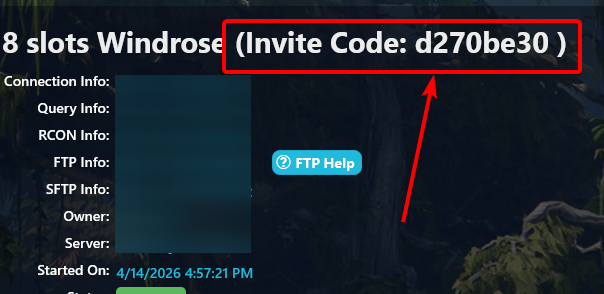
- Once you have copied your invite code you can go to your game, click play, then connect to server, insert your invite code and click find.
This should show your server and you can connect.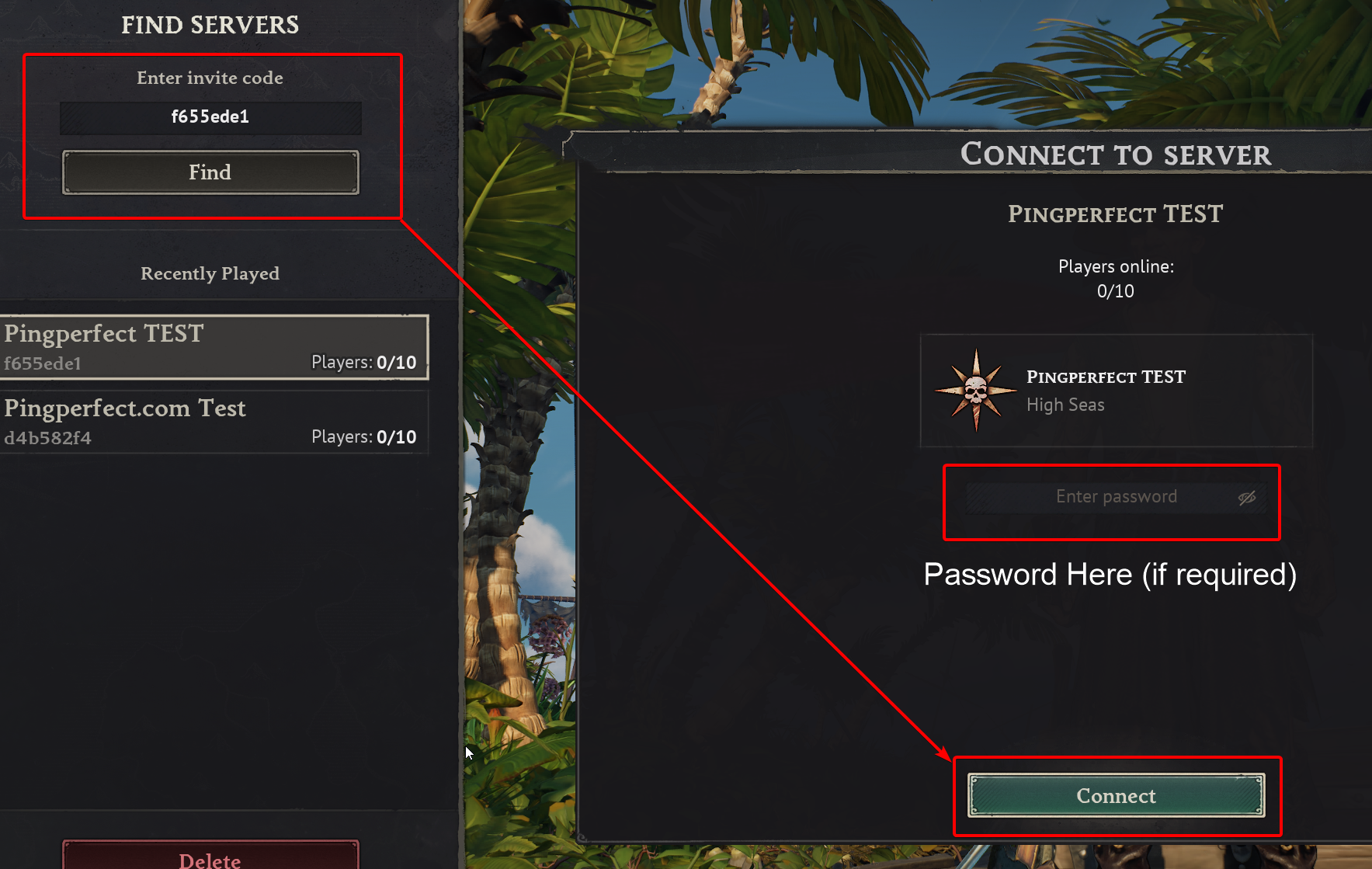
- If you were connected to the server already and wanted to access your invite code/password you can do this too, simply pause the game, click show server info and it will show you this information:
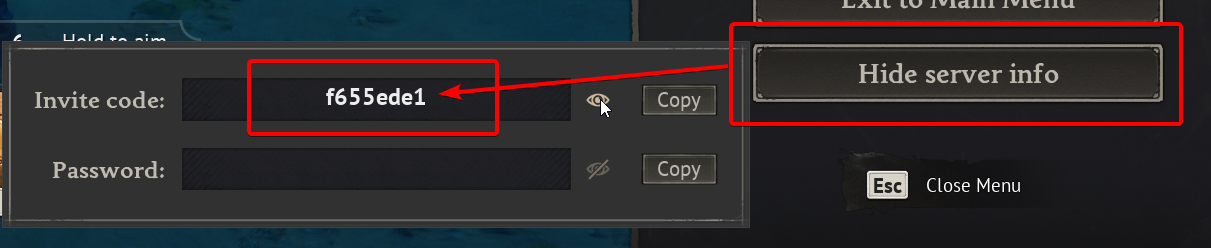
Note: For future connection attempts your server will show in the recently played menu so you don't need to do this every time.
Looking for a game server host known for brilliant 24/7 customer support and quality hardware?
Try a Pingperfect Windrose server today!
https://pingperfect.com/gameservers/windrose-server-hosting
