
To transfer your character between clustered servers you must make sure you have enabled the "Cross-server Mode" option on your server.
To do this please refer to the In Game Configuration (Enable Character Transfers) section of our server clustering guide: Soulmask | How To Cluster Servers
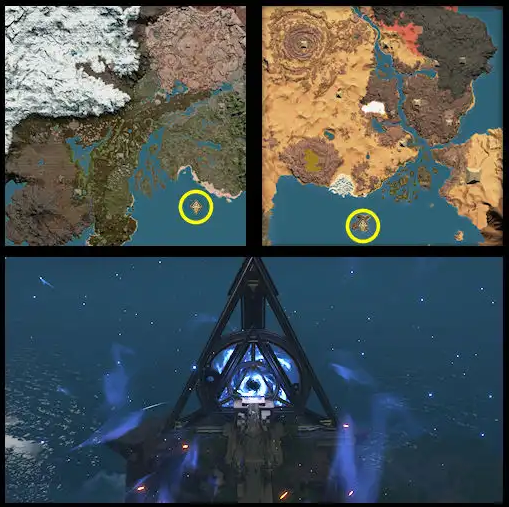
Once this setting is enabled you can then visit the the mysterious island in the Ocean and interact with the terminal to select a server to transfer your character to:
Looking for a game server host known for brilliant 24/7 customer support and quality hardware?
Try a Pingperfect Soulmask server today!
https://pingperfect.com/gameservers/soulmask-server-hosting
