
If you have not done so already, please make sure to perform the first time setup process which is explained in our guide here, this covers configuring your Owner ID which is required for the server to work: RuneScape Dragonwilds | First Time Setup (How to Configure Owner ID)
- To find your dedicated server, go to the "Public" tab of the Worlds screen.
- In the search tab, you must enter your exact world name, please note that this is case sensitive.
If you are unsure what your default world name is set to, please go to your Configuraiton Files area, modify the DedicatedServer.ini and refer to theDefaultWorldNamesetting, this is what you search for in game.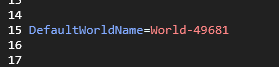
- Using the world name setting, you can now search for the server like so.
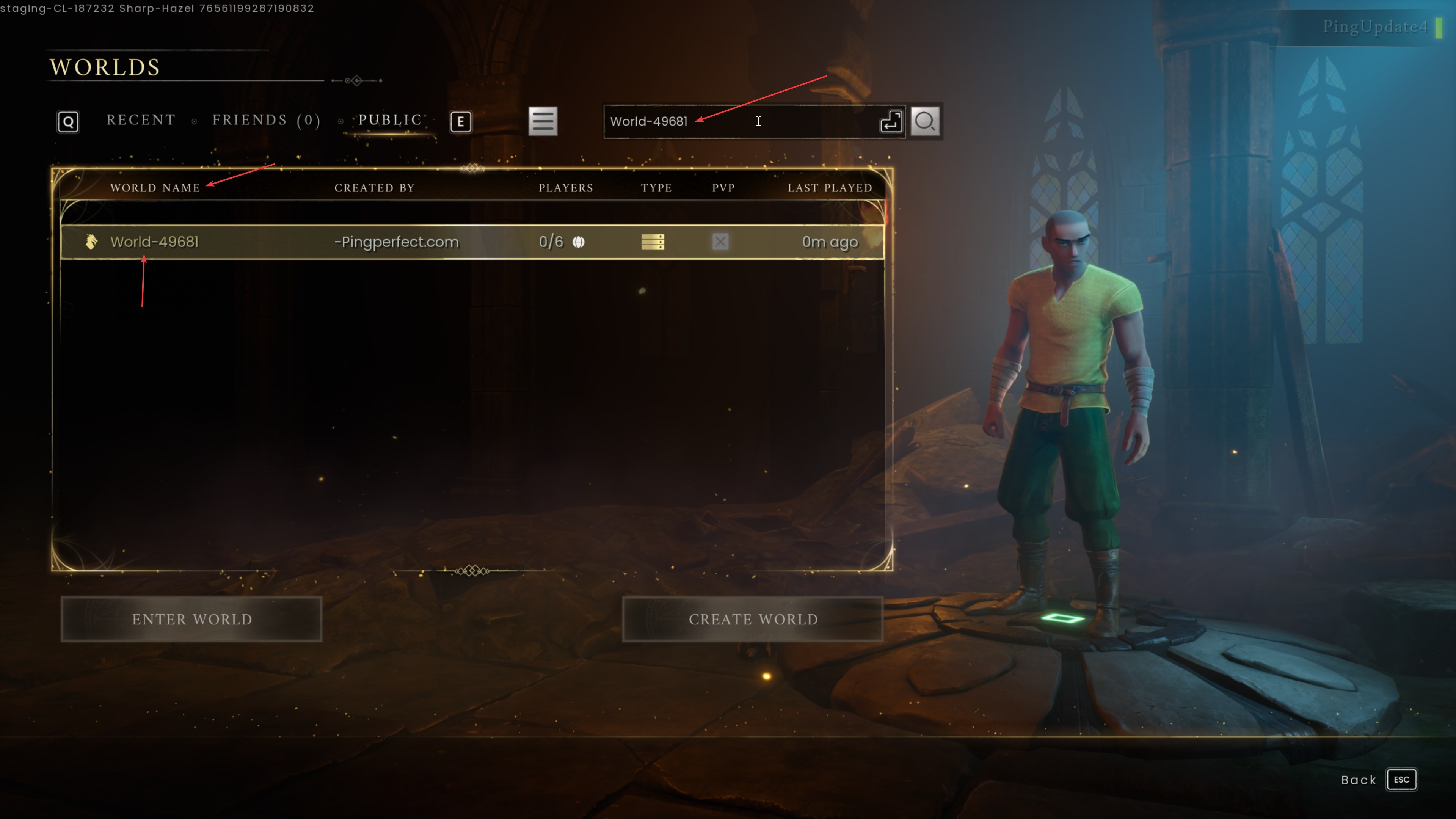
- Please note that if you have uploaded a custom save game, you should instead search for the name of your custom .sav file that you've uploaded to the server.
If you have any questions please don't hesitate to reach out to our support team here, we are available 24/7 and happy to assist - https://pingperfect.com/contact
Looking for a game server host known for brilliant 24/7 customer support and quality hardware?
Try a PingPerfect RuneScape Dragonwilds server today! https://pingperfect.com/gameservers/runescape-dragonwilds-server-hosting
