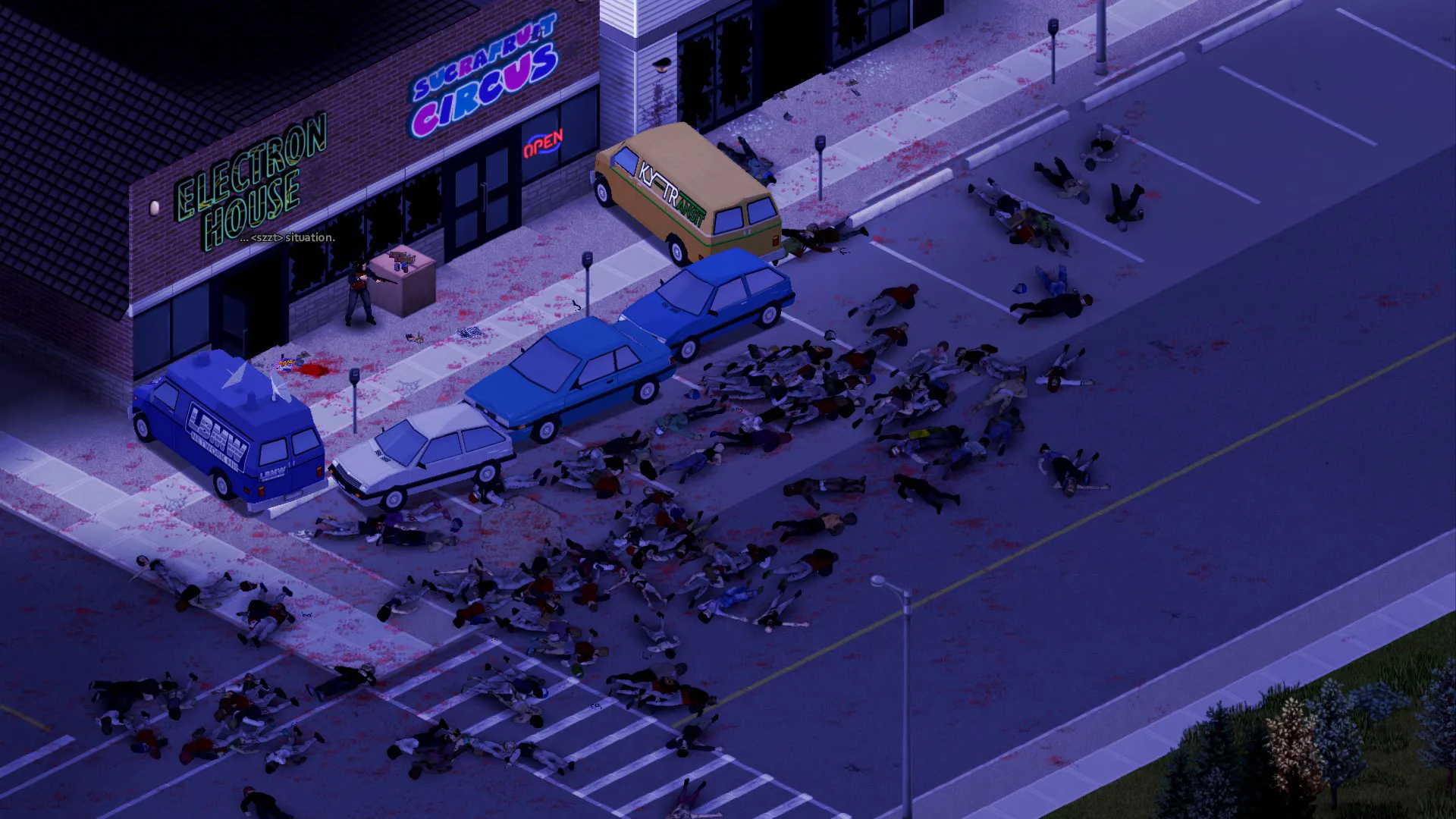
Ladders. In Project Zomboid. Actually climbable ones.
That’s the headline of Build 42.22, which The Indie Stone put on a brand new Pre-Release branch on 27 October 2026. If you’ve ever been chased into an empty swimming pool with no way out, you already know why people are excited. But 42.22 is also a big one for anyone running a multiplayer server, because a lot of the fixes in it are aimed squarely at server admins, and the way updates reach Stable has changed too.
What is the Project Zomboid Pre-Release branch?
Pre-Release is the new name for what used to be the Unstable branch. The Indie Stone renamed it because “Unstable” was confusing people, especially after the long road Build 42 took to get to Stable.
The bigger change is the process behind it. From now on, new updates go to Pre-Release first and stay there for at least a week of testing before they move to Stable, apart from urgent hotfixes. The developers say the point is to catch problems early and to give modders and server admins a look under the hood before an update goes live for everyone.
For most players, nothing changes. The default branch is still Stable, which is on 42.21 right now.
What’s new in Build 42.22?
Ladders and crowbars are the two big additions.
Ladders placed around the map can now be used with the E key. It’s the “first rung” of the feature, in The Indie Stone’s words, so expect more to come. For now it means you can climb out of empty pools and finally get up to the top floor of the Rosewood Fire Station for the view.
Crowbars are finally useful for more than braining zeds and pulling up flooring. From the right-click menu you can force open locked windows, doors, garage doors and gates. Security doors and jail cell doors won’t budge, though. Burglars are better and quieter at it than everyone else, and Strength helps. Each failed attempt also raises the chance of damaging your crowbar. So a weak character hammering away at a garage door at 3am is still a terrible idea. Some things never change.
There’s a long list of smaller tweaks as well. You can open ammo boxes while walking now, and you can’t sleep while the Bad Smell moodle is showing. Several animal bugs are gone too, including rabbit kits starving because their mothers weren’t producing milk, and chickens vanishing from full hutches.
What does 42.22 fix for multiplayer servers?
Quite a lot, and some of it is overdue. The fix most admins will care about is for the duplicate character bug, the one where players ended up with doppelgangers or cloned characters. PvP damage is now calculated server-side, which should sort out hits that weren’t landing properly.
On stability, The Indie Stone fixed crashes that could happen when a character left a chunk while chickens were sitting in a nest box (yes, really), and improved the performance of server backup creation. Trailers got a batch of physics and behaviour fixes. The “All Known on Start” sandbox option works again, and notes written on map items now save. The update also brings updated anti-cheat measures.
Should I put my server on the Pre-Release branch?
Not your main one. The Indie Stone’s own advice is that most people should stay on Stable while Pre-Release goes through testing, and they’re blunt about saves: back them up before you touch Pre-Release, because there’s no guarantee a save will work on it or carry into the final release.
Players also need to be on the same build as the server to join. If your server jumps ahead while your community is still on Stable, nobody gets in. Keep the live server on Stable and wait for 42.22 to land there. Given the one-week minimum, that shouldn’t be a long wait.
How should I get my server ready for 42.22?
Mods are the bit most likely to bite you. A few days before the update hits Stable, it’s worth doing some homework:
- Check the Workshop pages of your biggest mods for notes on 42.22.
- Take a manual backup the moment the update lands, before you restart into it.
- Update your mods, boot the server and log in yourself before you tell everyone it’s back.
- If a key mod is broken, roll back and wait for the author rather than running a half-working mod list.
On a PingPerfect Project Zomboid server, Workshop mods install in one click from the Gamepanel and can update automatically, and every server gets nightly offsite backups on top of the manual ones you take. If your mod list really isn’t ready for Build 42 at all, you can keep the server on Build 41 until it is, and our Build 41 guide shows how.
Are Java mods safe to run on a Project Zomboid server?
Be careful with them. A week before 42.22, The Indie Stone published a note on Java mods, and it’s worth reading if you run a modded server. Their position is that they officially support Lua mods only. Java mods change the game’s code directly, they aren’t supported, and they will break with updates “without warning” because they rely on internal code that keeps changing.
There’s a security angle too. Java mods usually need a manual install, a special loader or files from outside the Steam Workshop, and they run third-party code on the machine. The developers recommend sticking to sources you trust and preferring mods that are open source. For a server that a whole community relies on, Workshop-based Lua mods are the safer bet, and they’re also what our guide to adding mods covers.
Is now a good time to start a Project Zomboid server?
Honestly, yes. Build 42 has been on Stable with multiplayer since July, and 42.22 cleans up a lot of its rough edges. The new release process should also mean fewer nasty surprises on update day. Ladders also open up some fun base ideas. Rooftop safehouse, anyone?
If your group keeps saying “we should do a proper PZ run”, our Project Zomboid server hosting runs Build 42 by default, with full sandbox settings in the Gamepanel so you can tune everything from zombie population to day length. Try it on the 48-hour free trial, get everyone into Knox Country and see how long you last.